
LOCAL LAPTOP LIQUID SPILL CLEANUP
Professional Liquid Spill Cleanup for Macs & PCs
Accidents happen. Fast, thorough cleanup can help stop a spill from becoming corrosion, board damage, or data loss.
Turn the laptop off and bring it to Indy Laptops as soon as possible. We assess the affected areas and recommend the right repair path before more damage develops.
★★★★★ 340+ 5-Star Google Reviews
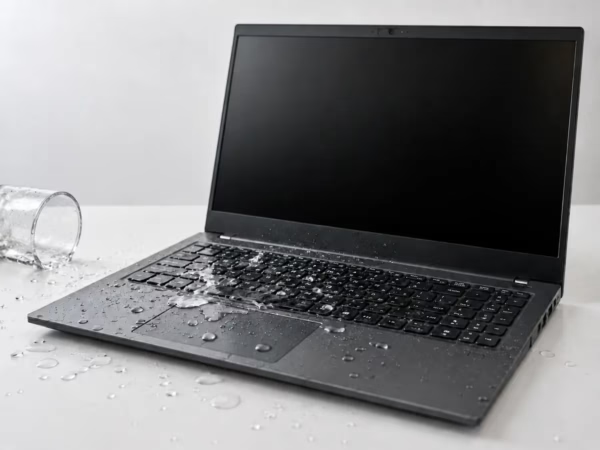
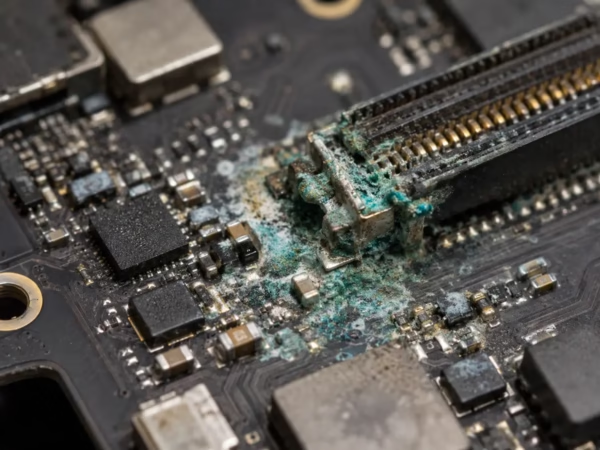
Why Drying Isn’t Enough: The Hidden Danger of Corrosion
Even if a laptop seems dry and turns back on, moisture can leave behind minerals and residue that corrode electronic components over time. That corrosion can cause intermittent problems, charging issues, keyboard failures, or a motherboard that stops working days or weeks later.
Our liquid-damage cleanup process focuses on removing corrosive residue from affected areas, assessing what can be saved, and identifying any component-level repair that may be needed.
What to Do After a Laptop Spill
1. Power It Off
Unplug the charger and connected devices. If the laptop is still on, shut it down instead of continuing to use it.
2. Do Not Force It to Dry
Do not keep restarting it, use a hair dryer, or place it in rice. Heat and repeated power attempts can make damage worse.
3. Bring It In Promptly
The sooner we can inspect the laptop and clean affected areas, the better the chance of preventing ongoing corrosion.
Professional Liquid-Damage Cleaning and Repair
Every spill is different. We begin with a practical assessment of the device, the liquid exposure, and the areas most likely to be affected. When appropriate, we disassemble the laptop, clean internal components, and test its stability before recommending any additional repair.
We will be clear about the condition of the device, the likely repair path, and any risk to important files before work moves forward.
Our process may include:
- Assessment of the spill and exposed components
- Internal cleaning to remove corrosive residue
- Testing the keyboard, charging, display, and other affected systems
- Clear recommendations for any further repair
Laptop Liquid Spill Cleanup FAQs
My laptop still turns on after a spill. Do I need to bring it in?
Yes. A laptop can appear normal while moisture and residue begin corroding internal components. Early inspection and cleaning can help prevent a larger failure.
Should I put my laptop in rice?
No. Rice does not remove residue from inside the laptop, and it can add dust or debris. Power the laptop off and have it professionally evaluated instead.
Can you recover my files after liquid damage?
Often, yes. We evaluate the device and explain the safest available options for protecting important files and data.
How quickly should I bring in a spilled laptop?
As soon as possible. Prompt cleanup gives the best chance of limiting corrosion and avoiding further damage.
Act Fast After a Laptop Spill
Turn it off, unplug it, and visit our Indianapolis shop for clear guidance and professional liquid-damage cleanup.