
LAPTOP COOLING SYSTEM SERVICE
Laptop Running Hot?
Keeping your laptop cool takes more than blowing dust out of the vents. Thermal compound is a heat-conducting paste between the processor and heatsink. It helps move heat from the processor into the heatsink, where airflow from the internal fan carries it away. Over time, the compound can dry out. We remove the old compound, clean the CPU surface, apply fresh compound, then reassemble and check the laptop’s cooling operation.
A Closer Look at the Process
These photos show one example of thermal maintenance, from the old compound through cleaning and fresh application.
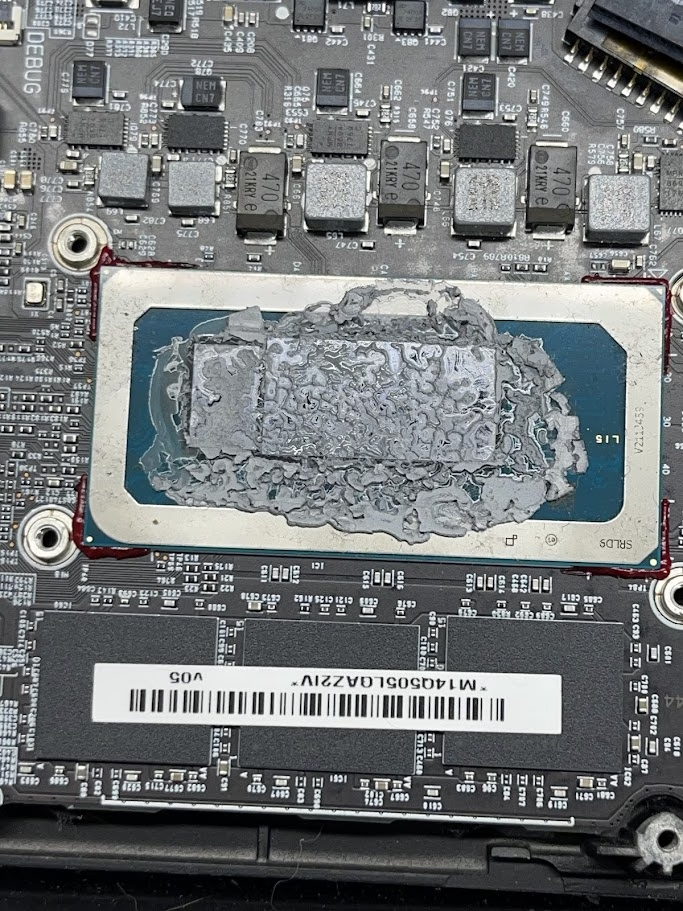
01 · BEFORE
Dried thermal compound
In this example, the old compound had dried out and spread beyond the CPU surface.
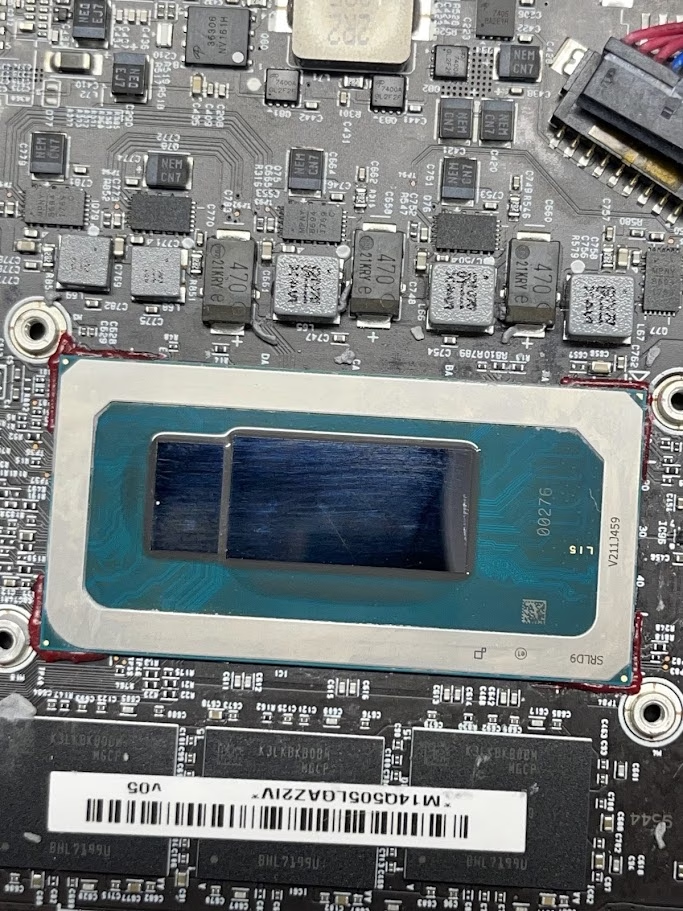
02 · CLEANING
CPU surface cleaned
We remove the old compound and clean the processor surface before applying fresh material.
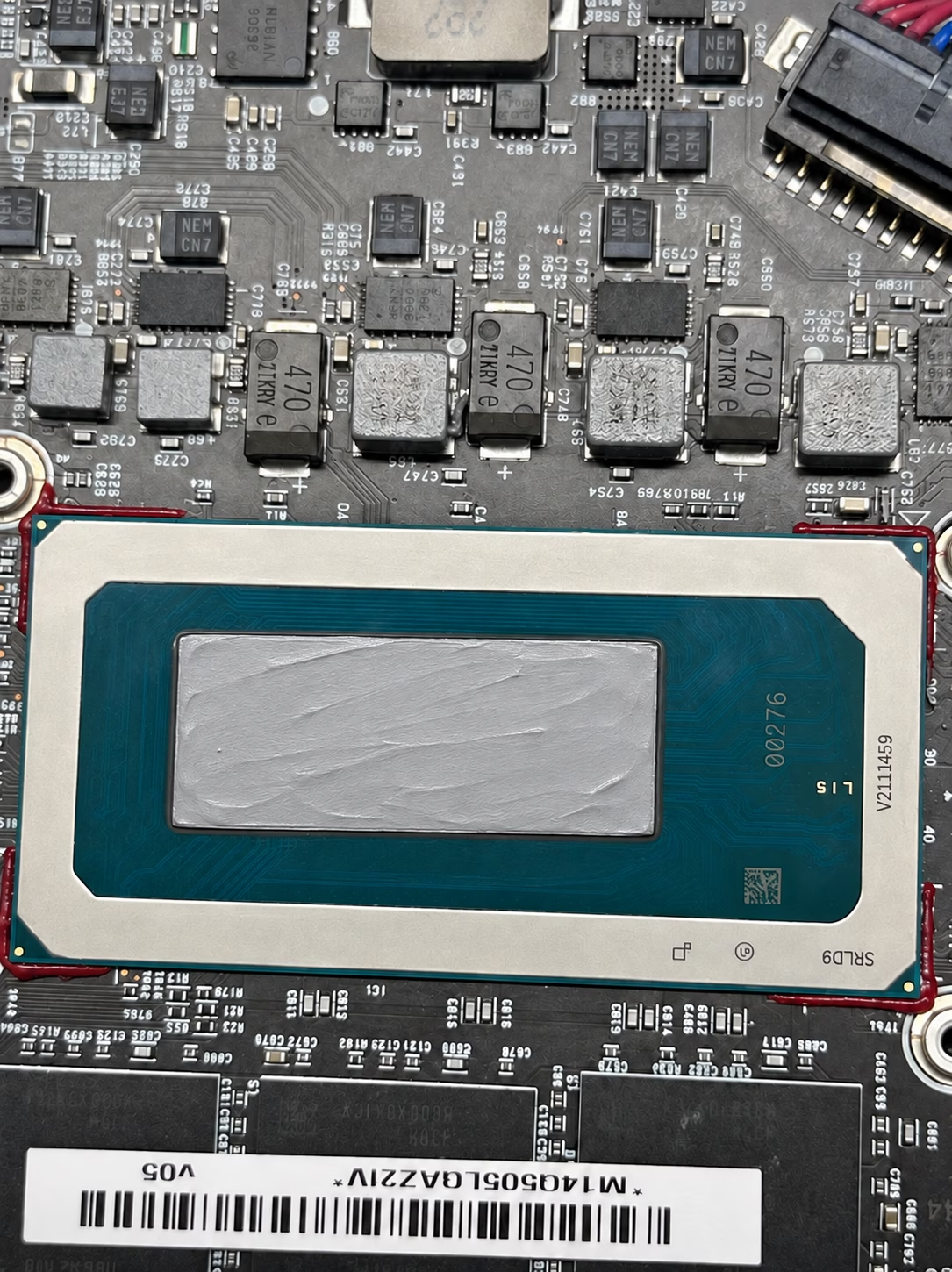
03 · FRESH COMPOUND
Fresh compound applied
Fresh compound is applied to the processor as part of the cooling-system service.
Cooling Maintenance Is More Than a Dust-Out
Dust can restrict airflow, but it is not the only reason a laptop may run hot. The thermal compound that helps transfer heat from the processor to the cooling assembly can dry out with age.
During this service, we remove the old compound, clean the CPU surface, apply fresh compound, and reassemble the device. We can inspect the laptop and help determine whether this service is appropriate for its symptoms.
When to Have Your Laptop Checked
- Your laptop feels hotter than usual.
- The cooling fan runs loudly or frequently.
- Performance slows during demanding tasks.
- The laptop shuts down unexpectedly while hot.
These symptoms can have several causes. An inspection can help identify whether cooling-system maintenance is needed.